The Problem: Scrubbing Through Hours of Audio
You know that moment is in there somewhere. The host mentioned that study, that book recommendation, that life-changing insight — but where exactly?
A typical podcast episode runs 2-3 hours. Finding a specific 30-second segment means endless scrubbing, rewinding, and frustration. You might spend 20 minutes hunting for something that takes 30 seconds to hear.
Transcripts help, but they're often auto-generated garbage. And even good transcripts just give you text — no way to jump straight to that exact moment in the audio.
The result? You either waste time hunting, give up and move on, or re-listen to entire episodes hoping to catch what you need.
The Solution: Ask Questions, Get Timestamps
Ask Your Video uses AI that actually understands podcast content — not just transcripts, but context, topics, and meaning.
Paste the YouTube URL of any podcast episode, ask what you're looking for, and get the exact timestamp in seconds. Then jump straight to that moment in YouTube.
No more scrubbing. No more guessing. Just answers pointing to exactly where you need to go.
Real Example: Finding Health Advice in Huberman Lab
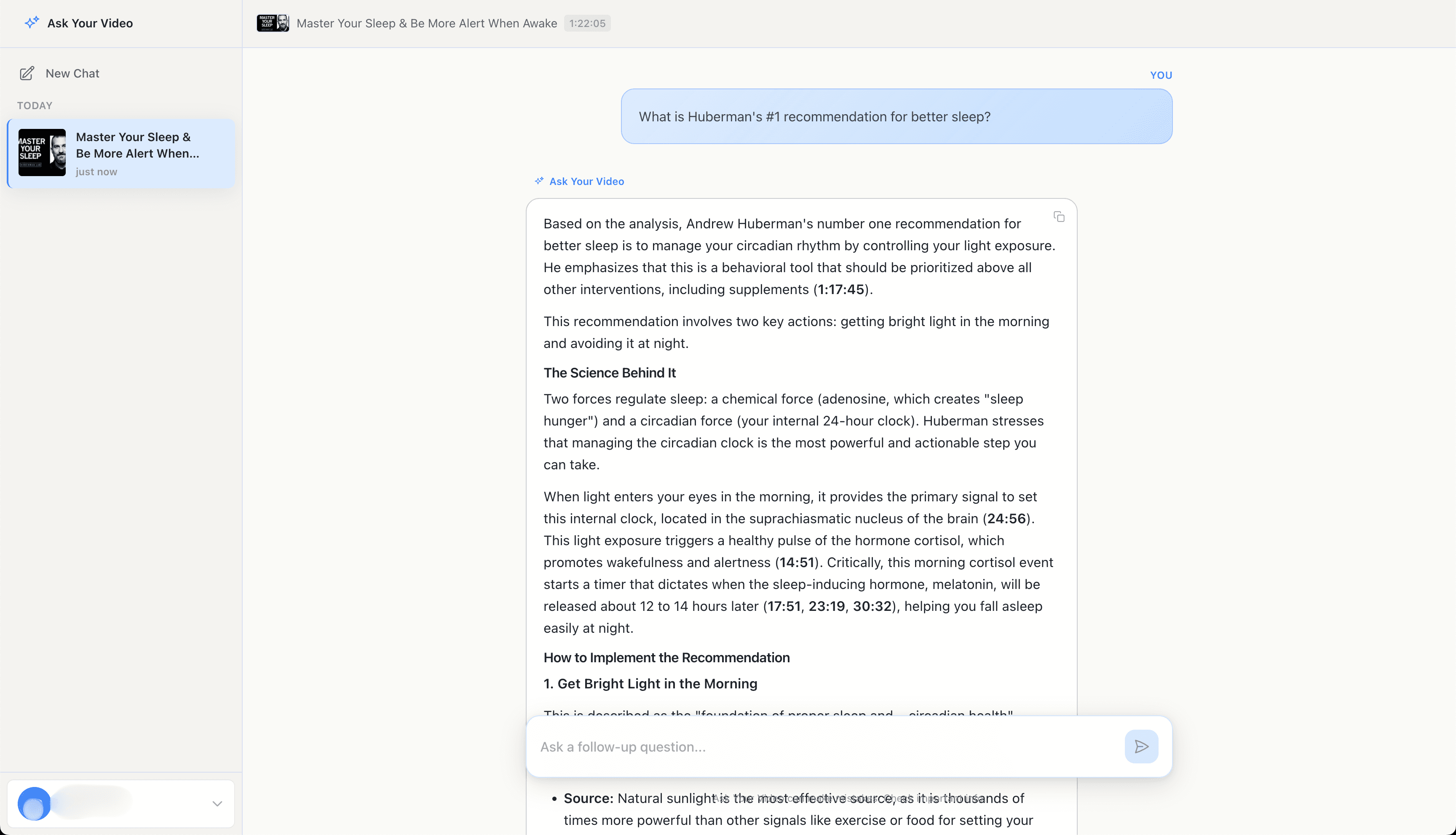
Huberman's top recommendation is to manage your circadian rhythm by controlling light exposure. Get bright light in the morning and avoid it at night. The AI provides exact timestamps (1:17:45, 24:56, 14:51) where he explains the science and practical steps.
Step-by-Step Guide
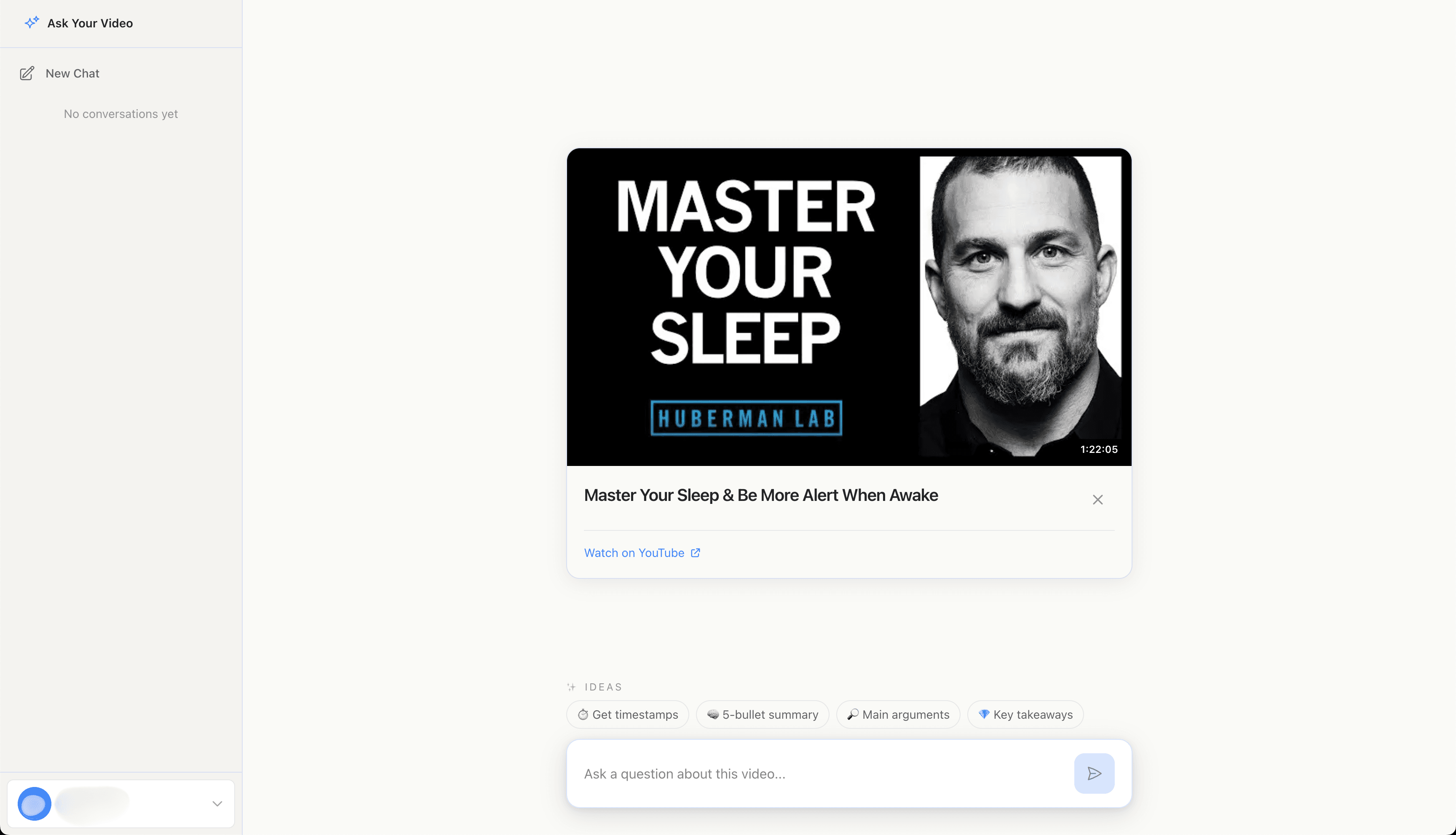
Paste the podcast YouTube URL
Copy the URL of any podcast episode on YouTube. Works with Joe Rogan, Lex Fridman, Huberman Lab, Tim Ferriss, and thousands more.
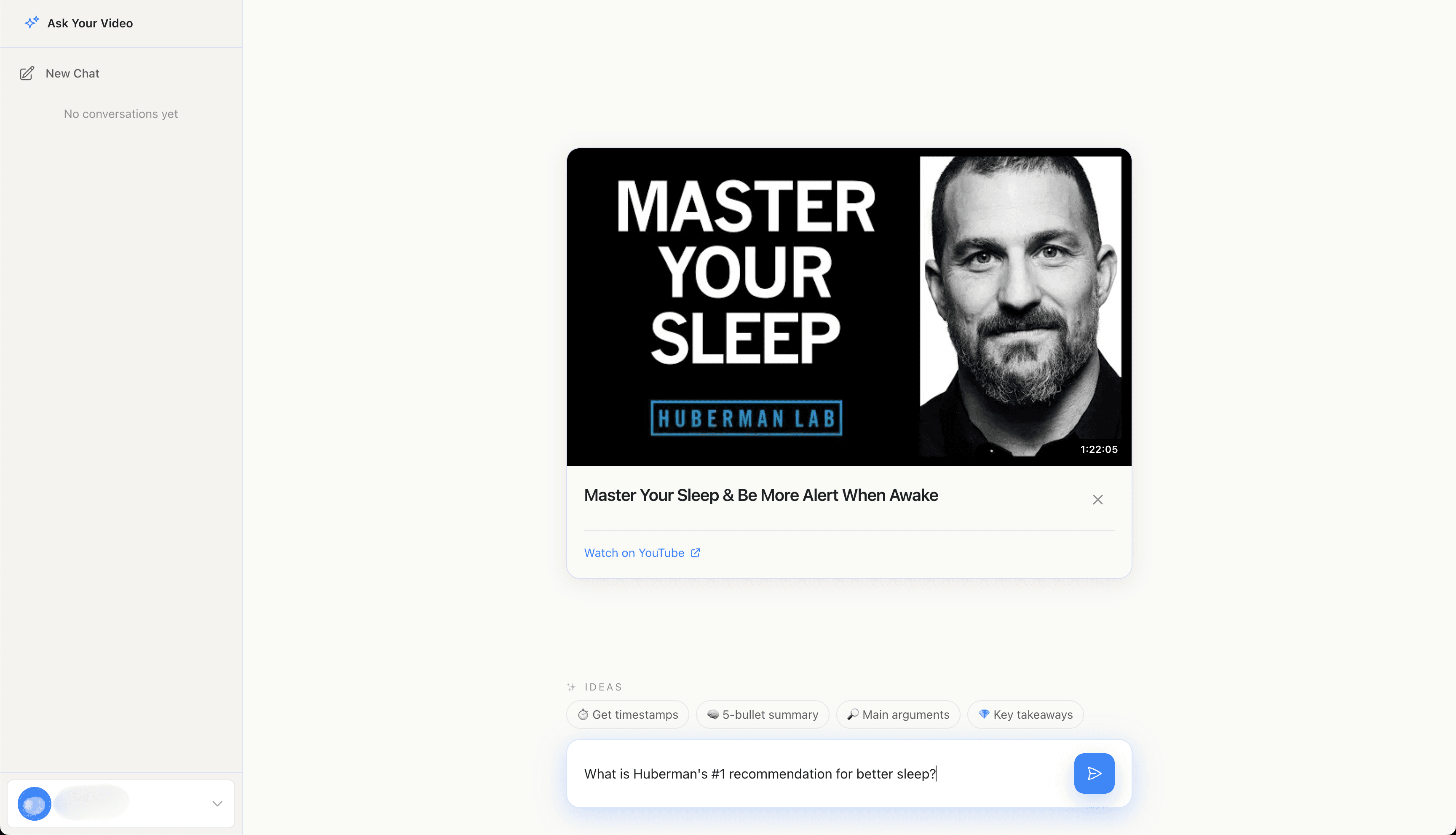
Ask your question
Type what you're looking for in plain English. Be specific: "What is Huberman's #1 recommendation for better sleep?" works better than "sleep tips."
Get your timestamped answer
The AI analyzes the entire episode and returns an answer with exact timestamps. You see what was said and precisely when it was mentioned.
Ask follow-up questions
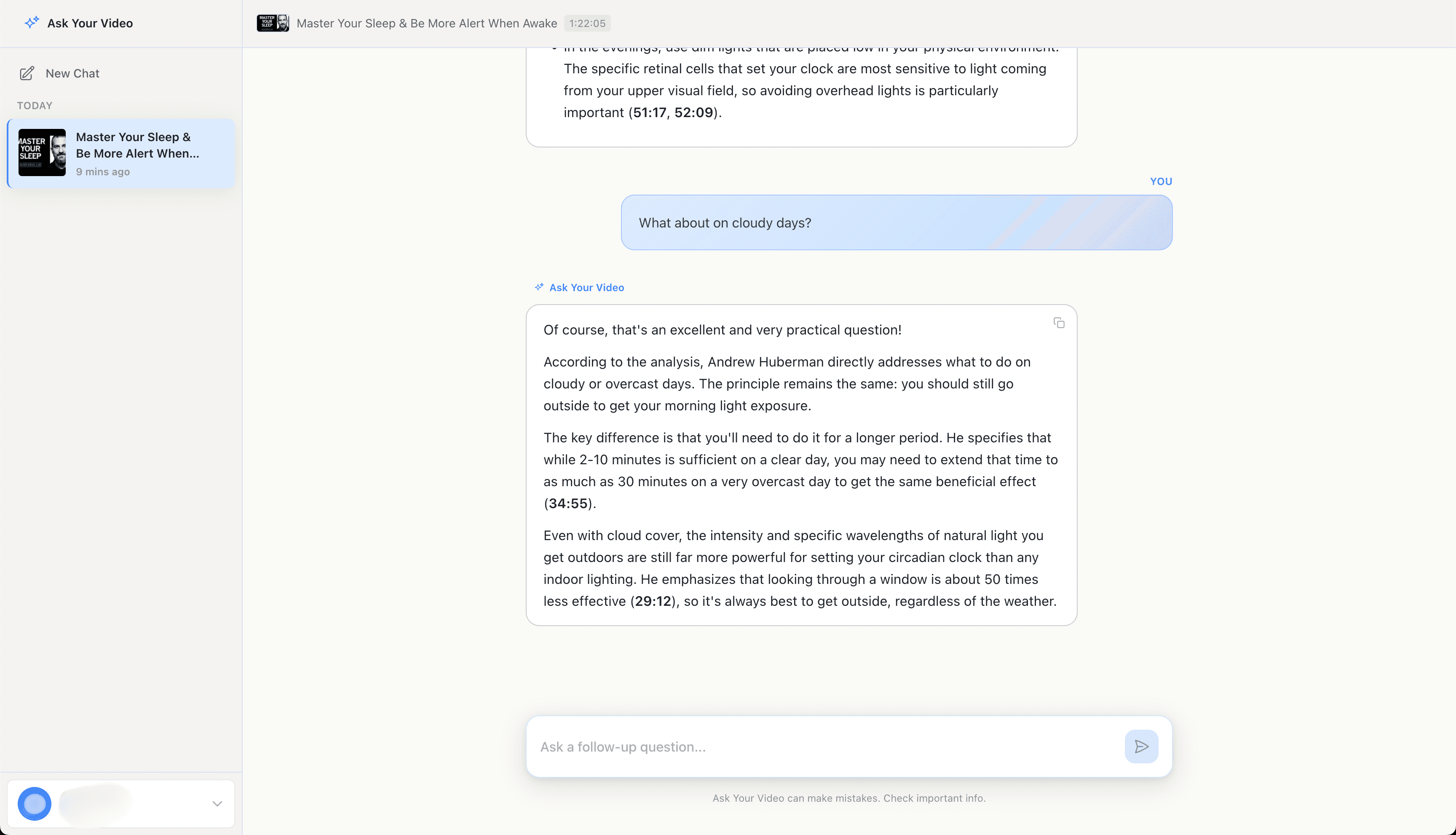
Continue the conversation with natural follow-ups like "What about on cloudy days?" The AI remembers context and gives you more timestamped answers.
Frequently Asked Questions
Yes, it works with any public YouTube video including all major podcasts like Joe Rogan Experience, Lex Fridman Podcast, Huberman Lab, Tim Ferriss Show, and more. The video must be public and under 3 hours long.
Timestamps are typically accurate within a few seconds. The AI analyzes the actual video content, not just transcripts, so it can pinpoint specific moments with high precision. You can always click the timestamp to verify.
Absolutely. Once a podcast is analyzed, you can ask unlimited follow-up questions about it at no extra cost. Dig deeper into topics, ask for clarification, or explore different parts of the episode.
Try with your own podcast
Start searching inside any YouTube video. Get answers with exact timestamps in seconds.
Get Started FreeMore Guides
How to Extract Quotes with Timestamps from YouTube Videos
Pull exact quotes from interviews with timestamps for verification. Perfect for journalists and researchers.
How to Study from Long Lecture Recordings Without Rewatching
Turn hours of lecture recordings into searchable knowledge. Ask questions, get answers with exact timestamps.